
The Guadalupe County Court Calendar
Guadalupe County court dates appear through several official channels. District court pages link annual calendars. The District Clerk docket page provides district and family docket entry points, though it required authentication during research. The local Tyler/Odyssey help describes a Court Calendar search by case, judicial officer, or party or defendant name. Each Justice Court and municipal court controls its own settings.
The general Guadalupe County calendar is different. It offers Day, Week, Month, and Agenda views plus print, PDF, iCal, and RSS tools, but its categories include county meetings, holidays, city council events, and special events. It is useful for closures and public meetings. It is not the case calendar for a pending suit or charge.
Guadalupe Calendar or Case Setting
The words “calendar” and “docket” can point to different records. A county events calendar reports government events and closures. An annual district schedule marks broad court terms, docket calls, jury weeks, and nonjury periods. A case setting ties one cause to a court event. The hearing notice or signed setting order carries the details.
| Source | Best use | Do not assume |
|---|---|---|
| County calendar | Meetings, holidays, public events | It lists case hearings |
| Annual district calendar | Docket categories and court weeks | Each case starts at the call time |
| Case calendar | A setting tied to a case | Every filing is visible |
| Hearing notice | Date, time, place, method | An unsigned change moved the date |
The official county calendar capture shows the public event interface.
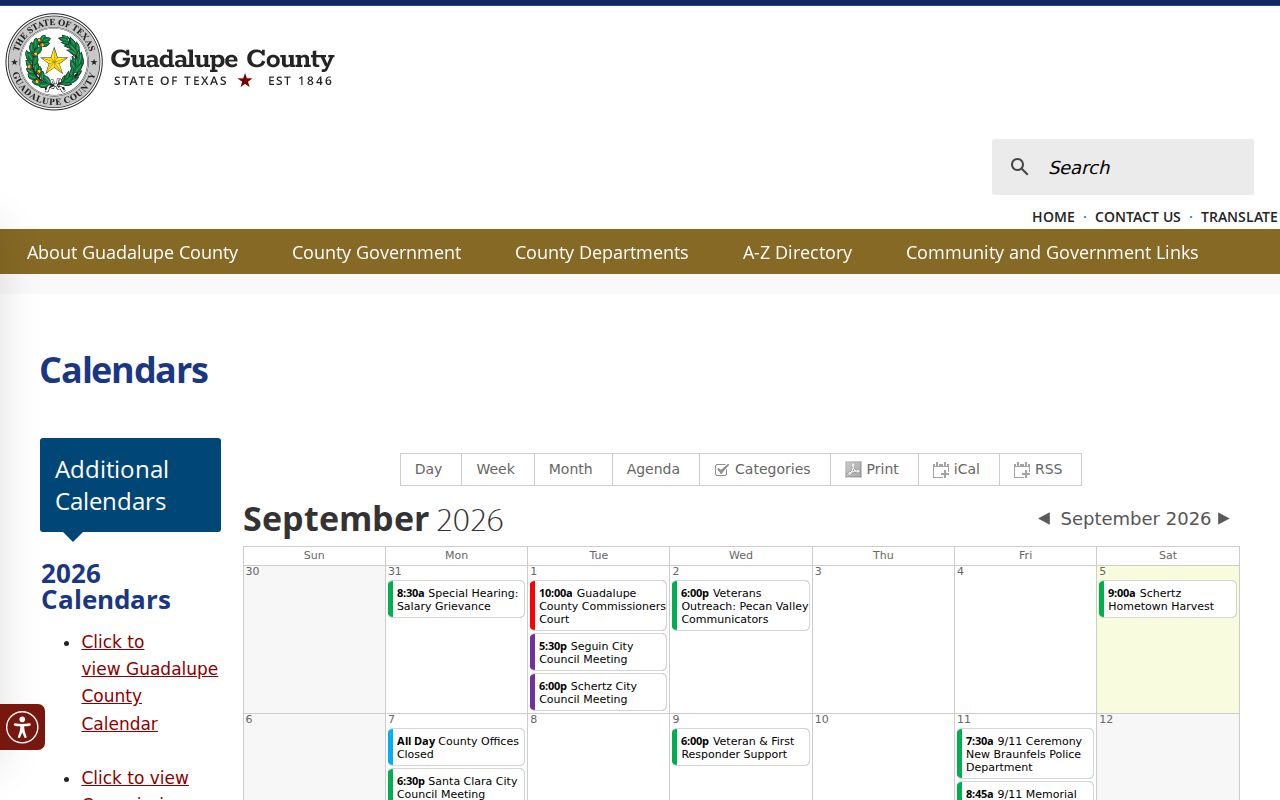
Its event views and export tools are useful, but a case date must be checked through the assigned court.
How to Find Your Court Date
Start with the latest notice, citation, or order. It should identify the court and cause number. For a covered civil, family, probate, or guardianship case, use the Tyler/Odyssey calendar route. District annual calendars and docket pages supply another layer. The re:SearchTX service can show hearings for participating courts after sign-in, but local coverage varies.
- Identify the court, county, and cause number on the newest case paper.
- Search the local case calendar by case, judicial officer, or party name.
- Read the full docket or calendar document, not just its title.
- Call the District Clerk, County Clerk, JP clerk, or municipal clerk when access fails.
- Ask the coordinator or attorney to confirm a changed district setting.
- Compare the result with the signed notice before appearing.
The District Clerk main office is at 211 W Court Street in Seguin. Its civil and family line is 830-303-8873, while criminal uses 830-303-8875. County Clerk court records use 830-303-8861. Mail and counter service are alternatives. No official source confirmed a public terminal or daily printed posting, so call before relying on either.
Guadalupe Docket Call Timing
The inspected 2nd 25th Judicial District 2026 calendar lists docket call at 9:00 a.m. and separates civil nonjury, criminal nonjury, announcement, and jury settings. Local rules say most dockets generally begin at 9:00 a.m. That is a call convention, not a promise that each case will be reached at once.
The 2nd 25th District Court page provides annual calendar materials.
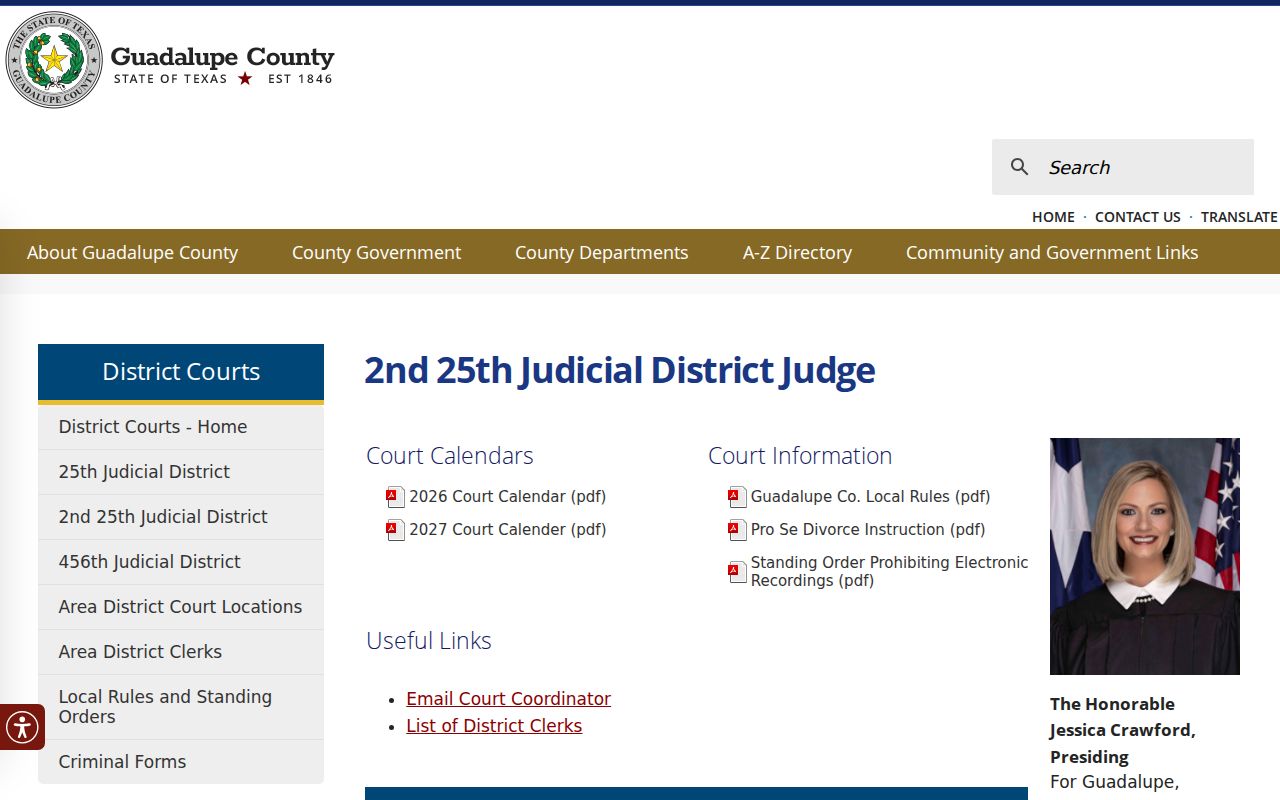
The court-specific page matters because the court serves more than one county and the Guadalupe setting must be confirmed by county and cause.
- Docket call
- The court calls cases on that docket; it may not be the exact hearing start.
- Announcement
- A status point used to determine readiness or the next setting.
- Nonjury
- A proceeding set without a jury.
- Jury week
- A period reserved for jury matters, not proof that one case will be tried.
Reading a Guadalupe Court Setting
Read every field together. A date without the court number or county can mislead because several district courts serve multi-county areas. A time may describe docket call. The setting type says whether the event is an arraignment, pretrial, announcement, motion hearing, nonjury matter, jury trial, or another proceeding. The signed notice controls over a generic schedule.
| Date | The day checked against the latest signed notice. |
|---|---|
| Time | An appearance or docket-call time, which may not be when the case is reached. |
| Courtroom | The room, building, county, or approved remote method. |
| Judge or court | The assigned district, County Court at Law, JP, or municipal court. |
| Setting type | Pretrial, announcement, motion, nonjury, jury, plea, or other event. |
Check interpreter directions, filing deadlines, and remote-hearing instructions. Virtual attendance is discretionary. Special remote requests go through the coordinator, and recording proceedings is restricted.
Guadalupe Child Protection Calendar
The Centex Child Protection Court South has a separate Texas Courts Online date selector for Guadalupe County. Research in September 2026 found dates extending into early 2027. A listed date does not prove that the full petition, social study, minor identity, or service record is public.
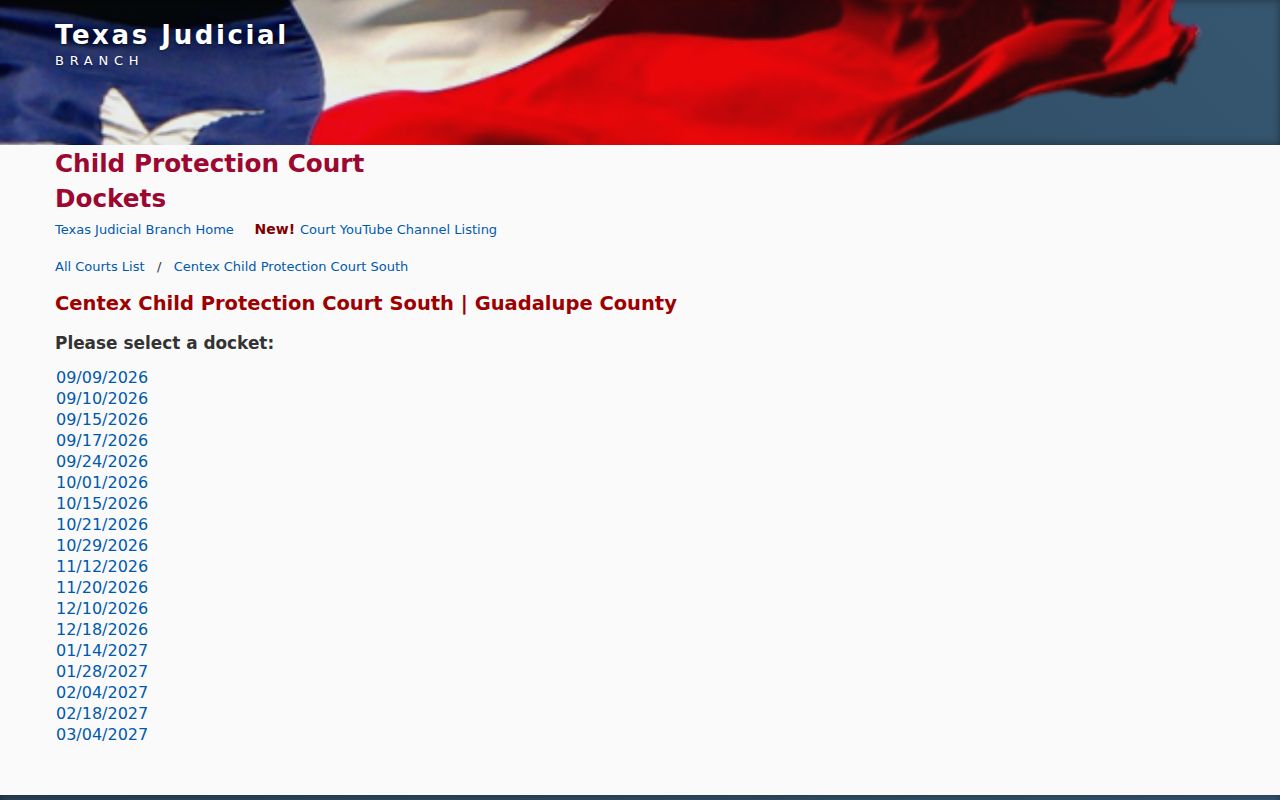
The selector shows the specialty route while preserving the line between a public date and restricted case details.
Texas Family Code Chapter 58 and court orders can restrict juvenile information. Use the selector only to locate the calendar. Send requests for underlying records to the proper clerk or court.
Resets, Continuances, and Cancellations
A reset gives a proceeding a new date. A continuance moves a setting through court action. Guadalupe local rules make clear that filing a continuance motion alone does not move a civil or family setting. The change takes effect through a signed order or coordinator notice. Until then, treat the current setting as active.
Check the complete docket document, then contact the assigned coordinator. The District Clerk tells readers to scroll the full document and routes civil or family questions to the coordinator. For felonies, its docket page points to the District Attorney. A municipal or JP date must be confirmed with that court's clerk.
Closures may affect plans, but the county events calendar is not a substitute for an updated case notice. Record when the calendar was checked. If a case vanishes online, do not infer dismissal. An outage, moved setting, restriction, or search input can explain the absence.
Guadalupe Court Coordinator Check
Court administrators and coordinators manage district dockets. A contested civil or family hearing requires a written motion and signed, e-filed Notice/Order Setting Hearing under local rules. The coordinator is the key confirmation point for a disputed, unclear, or recently changed setting.
Use the district court directory to find the assigned court. Cause-number letters can help: A maps to the 2nd 25th, B to the 274th, C to the 25th, and E to the 456th. These are routing clues, not calendar guarantees.
Before appearing: Confirm court and county, date and time, courtroom or approved remote method, setting type, and latest signed notice.
Keep the notice used for confirmation. A coordinator can address scheduling procedure but cannot replace case-specific legal advice.
What to Do If You Miss a Setting
Contact the court clerk and any attorney involved as soon as possible. Give the cause number, court, missed date, and current contact details. Ask whether an order, warrant, bond action, default, dismissal, or new setting has been entered. Do not rely on a blank portal result, and do not assume that a message places the case back on the calendar.
The consequence depends on the matter and court. A criminal nonappearance may lead to warrant or bond action. A civil nonappearance can produce a default or dismissal when legal conditions are met. Only the docket, signed orders, and court show what occurred.
Missed a Setting? A missed date can lead to serious action, including a warrant, bond issue, default, or dismissal.
Call the assigned clerk or coordinator at once and ask what the current Guadalupe County docket records.
Consult a licensed attorney about the safest response before appearing or submitting a plea.
Use the Guadalupe County case search to locate the matter before calling. The clerk or court remains the source for the current setting.
Guadalupe Court Calendar Search Log
Keep a brief record of each Guadalupe County court calendar check: the source, cause number, search terms, date searched, and setting shown. This makes a later change easier to spot and helps a clerk reproduce the lookup. It also prevents a saved screen from being treated as current after a reset or cancellation. The newest signed notice and direct court confirmation still control.
Calendar pages and vendor systems can change without notice. An annual PDF is authoritative for its labeled year, while a live court page is the better source for current coordinator information. Recheck both close to the setting date.